
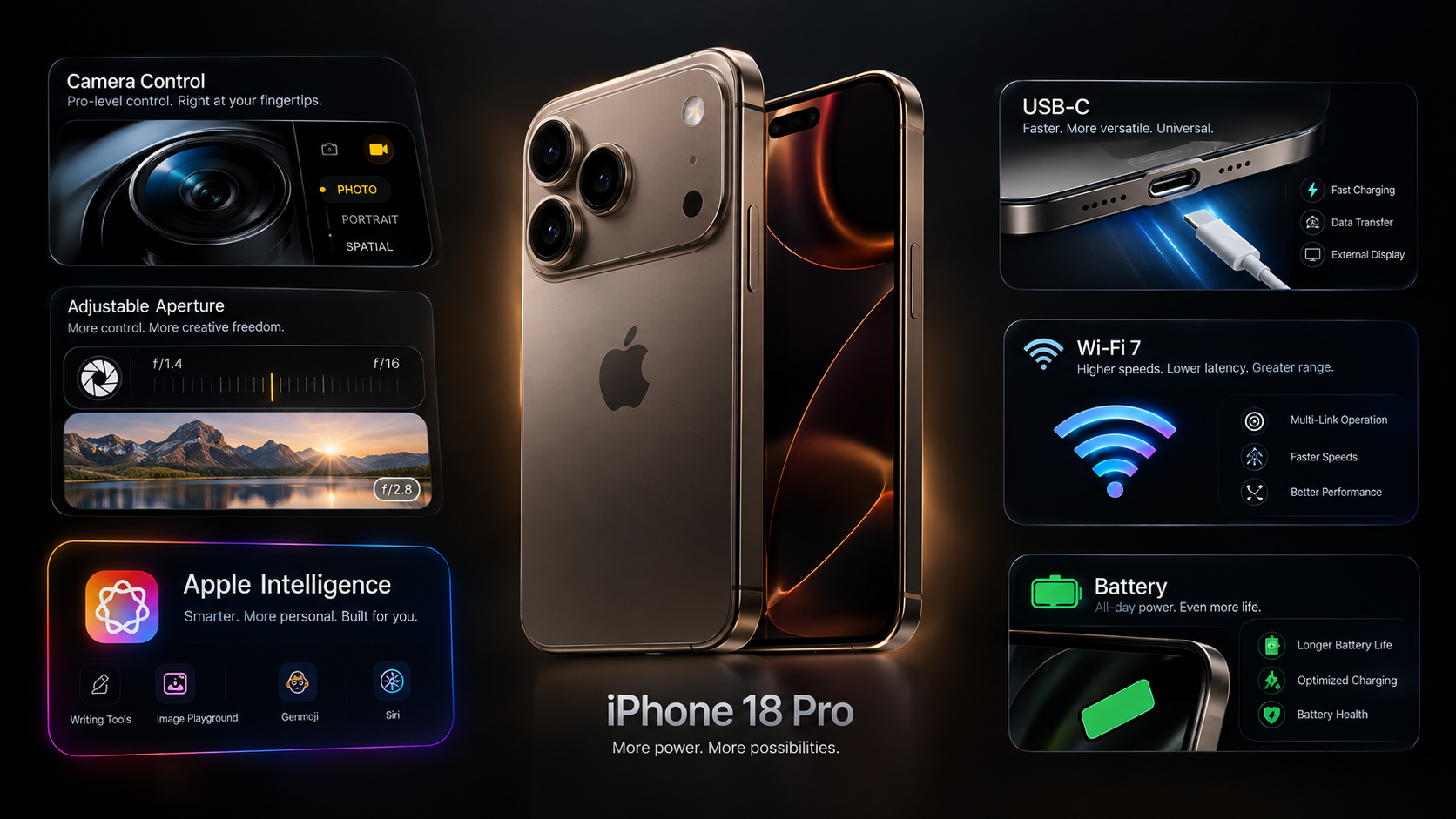
The iPhone 18 Pro is packed with advanced camera, display, AI and connectivity features.
Thank you for reading this post, don't forget to subscribe!Some of the most useful options are not necessarily the features Apple highlights most prominently.
If you’ve purchased an iPhone 18 Pro or iPhone 18 Pro Max, here are several features and settings worth exploring.
1. Experiment With Variable Aperture
The new 48MP Fusion Main camera supports multiple aperture settings.
Instead of leaving everything completely automatic, photography enthusiasts can experiment with different aperture values.
This can change how the camera handles light and depth of field.
2. Use Pro Camera Controls
The Camera app provides controls for:
- Aperture
- Shutter speed
- White balance
- Histogram
- Lens selection
These settings can make a major difference when shooting in challenging conditions.
3. Try 48MP Photography
The main camera supports high-resolution 48MP photography.
This can be useful when you need additional detail or want more flexibility while cropping images.
Remember that higher-resolution images require more storage.
4. Explore the 8x Optical-Quality Zoom
The camera system provides multiple optical and optical-quality zoom options.
Instead of immediately using maximum digital zoom, experiment with the optical-quality range.
This can help preserve more detail.
5. Use the 18MP Center Stage Camera
The front camera supports Center Stage.
This can help keep subjects positioned during compatible calls and recordings.
It’s particularly useful for people who frequently use their iPhone for video meetings.
6. Take Advantage of ProRAW
If you edit photographs professionally, ProRAW can provide additional flexibility.
RAW files preserve more information for editing than standard compressed formats.
However, they also consume considerably more storage.
7. Use Apple Log 2 for Video
Video creators can explore Apple Log 2 for compatible professional workflows.
Log recording can provide additional flexibility during colour grading.
It is most useful when you already understand video editing and colour correction.
8. Use Wi-Fi 7 When Available
The iPhone 18 Pro supports Wi-Fi 7.
To benefit from the standard, you also need a compatible Wi-Fi network.
A newer router can provide better wireless performance in suitable environments.
9. Take Advantage of USB 3 Transfers
USB-C supports USB 3 speeds of up to 10Gbps.
This can be useful when transferring large video files to a computer.
Not every USB-C cable provides the same transfer capabilities, so use an appropriate high-speed cable for large file transfers.
10. Use the Always-On Display
The Always-On display allows information to remain visible without fully waking the phone.
You can customise which information is most useful to you through iOS settings.
11. Explore Apple Intelligence
The iPhone 18 Pro supports the next generation of Apple Intelligence.
Explore the available writing, assistant and system-level AI features.
The exact features available can depend on language and region.
12. Try the New Siri
Siri has been redesigned around a more personal and conversational experience.
Try using natural language rather than rigid commands.
13. Use MagSafe Charging
MagSafe supports up to 25W wireless charging.
It is convenient for desks, bedside tables and car setups with compatible accessories.
14. Use 2TB Storage Efficiently
If you purchased a high-capacity model, you can store large photo and video libraries locally.
However, maintaining an iCloud backup remains important for protecting valuable data.
15. Explore Camera Control
The Camera Control system provides quick access to camera functions.
Spend time customising the available controls to match your photography style.
Final Thoughts
The iPhone 18 Pro contains many features that can easily be overlooked.
The biggest improvements are not limited to the processor or camera megapixels.
Variable aperture, professional camera controls, Apple Log 2, Center Stage, USB 3 and Apple Intelligence can significantly expand what the phone can do.
The best approach is to spend some time exploring the settings instead of using every feature on automatic mode.
FAQs
Does iPhone 18 Pro have manual camera controls?
Yes. Aperture, shutter speed, white balance and histogram controls are available.
Can I shoot 48MP photos?
Yes.
Does it support ProRAW?
Yes.
Can I record professional video?
Yes. The device supports formats including ProRes and Apple Log 2.
Does it support Wi-Fi 7?
Yes.
Does USB-C support high-speed transfers?
Yes, USB 3 speeds can reach up to 10Gbps.
Does the front camera support Center Stage?
Yes.
Internal Link Suggestions
- iPhone 18 Pro Camera Guide
- iPhone 18 Pro Complete Guide
- iPhone 18 Pro Battery
- iPhone 18 Pro Features
- iPhone 18 Pro vs iPhone 17 Pro